Missed appointments cost the US healthcare system an estimated $150 billion annually according to Health Affairs, and the problem extends far beyond clinics. Restaurants lose revenue to no-show reservations. Real estate agents waste showing slots. Service businesses absorb the cost of prepared-but-unused time. In every industry, the root cause is the same: the customer forgot, or found it too difficult to cancel.
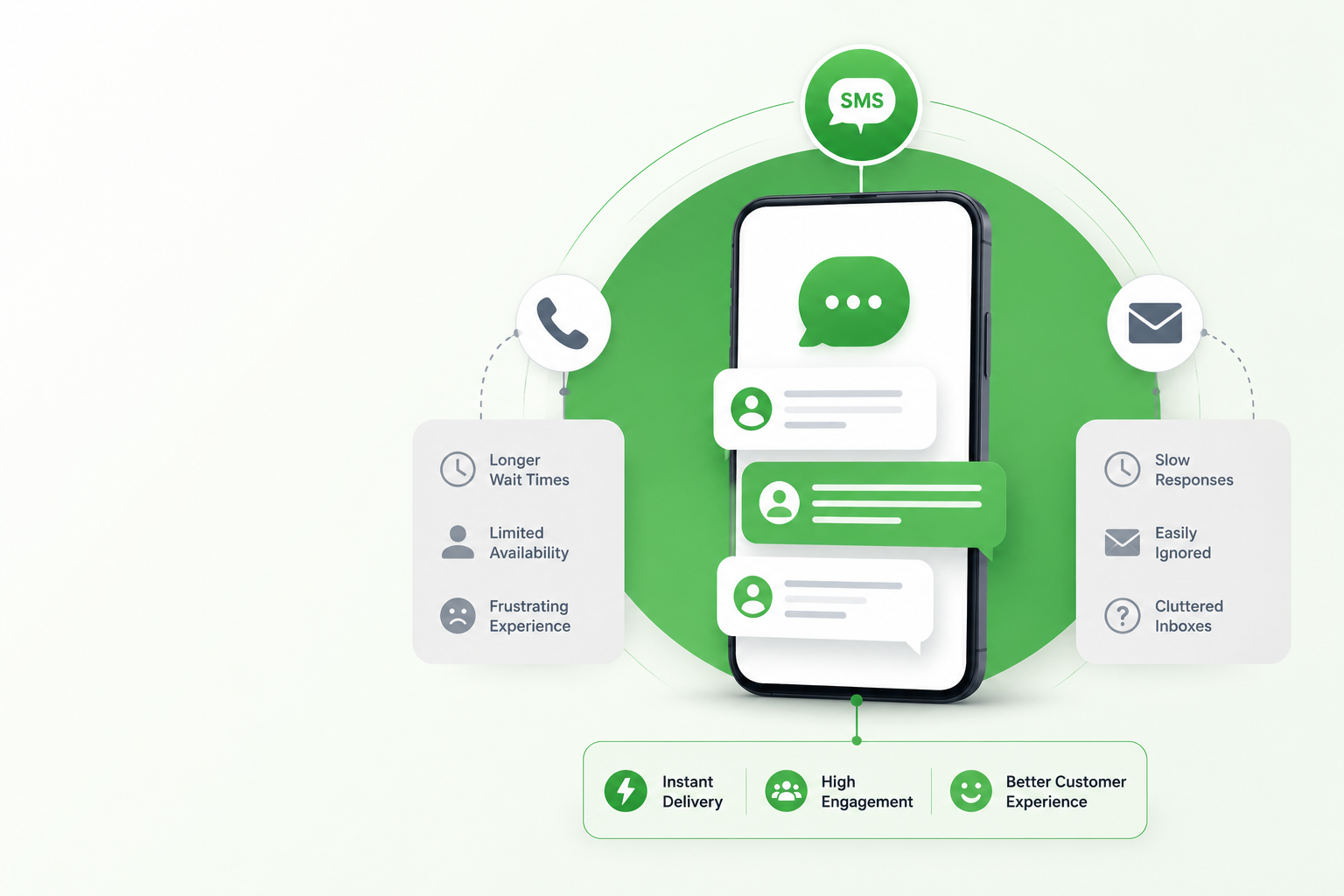
In 2026, appointment confirmation texts solve both problems simultaneously. According to CTIA, SMS carries a 98% open rate with messages read within 3 minutes of delivery. A confirmation text that arrives at the right time, asks for a simple reply, and includes an easy rescheduling option removes every barrier between a customer’s intention and their attendance.
What Makes an Appointment Confirmation Text Reduce No-Shows
- Personalisation: use the customer’s name and their specific appointment detail, not a generic reminder
- Complete information: date, time, location, provider name, and what to bring if relevant
- A single confirmation action: Reply C to confirm or Reply R to reschedule. One action, not a form, not a portal link
- An easy rescheduling path: a customer who can reschedule by text is far less likely to simply not show up
- Correct timing: a reminder sent too early gets forgotten; one sent too late cannot be acted on
The Optimal Appointment Confirmation Sequence in 2026
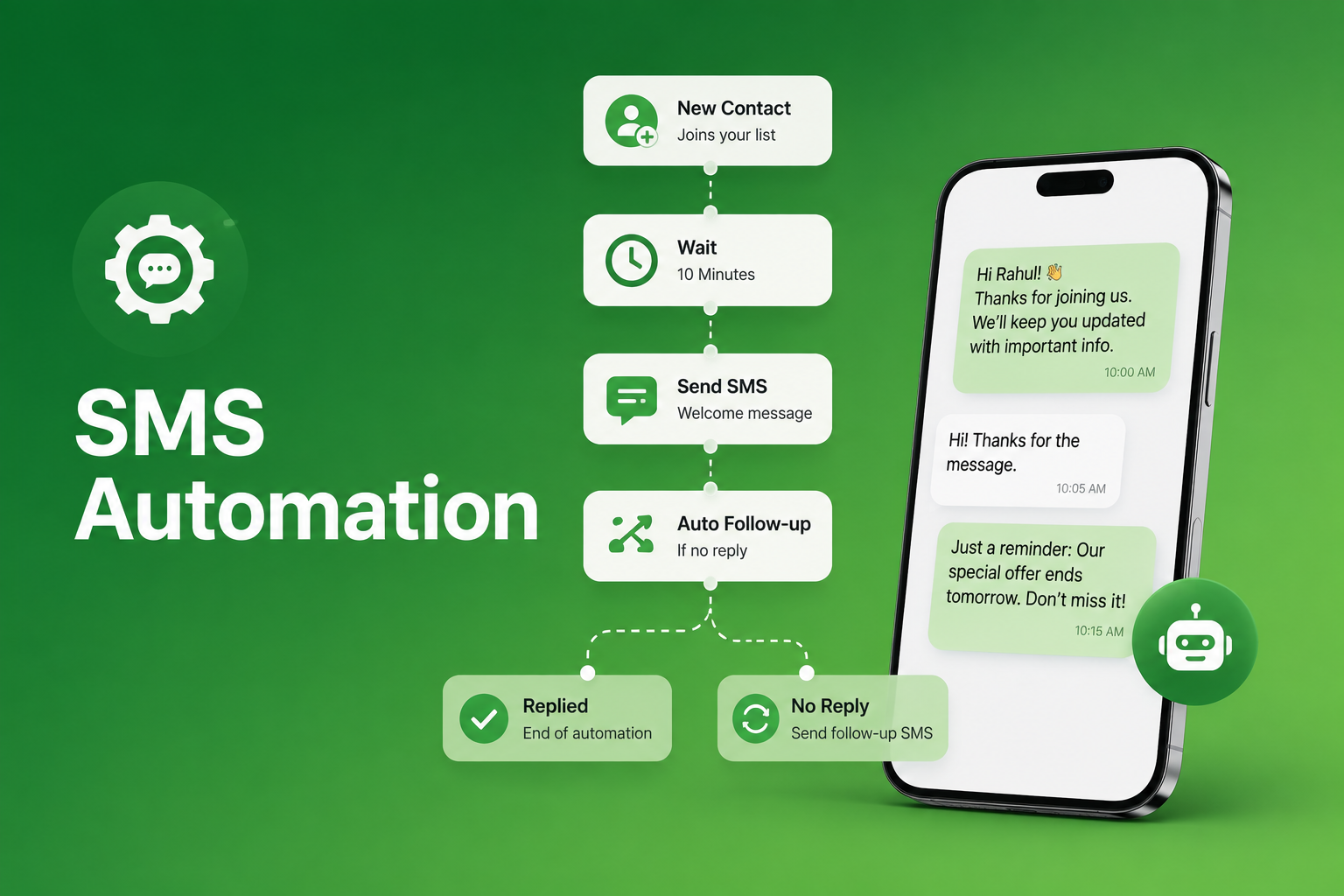
The single highest-impact change most businesses can make to their no-show rate is moving from one reminder to a three-message sequence. In 2026, automated confirmation sequences have become the standard expectation among appointment-based businesses across every industry:
Step 1: Immediate booking confirmation Confirms the appointment was received and sets expectations before the customer has any chance to forget. Includes date, time, provider, and location.
Step 2: 48-hour reminder Gives the customer time to reschedule if needed without pressure. This is the highest-converting reminder in the sequence because the customer still has options.
Step 3: Day-of reminder (2 to 4 hours before) Includes practical details parking, check-in, what to bring. Eliminates last-minute uncertainty that causes silent no-shows.
Scheduled text messaging automates all three messages from the moment a booking is confirmed without any manual effort from your team.
Healthcare and Medical Appointment Confirmation Text Templates
1. Booking confirmation “Hi [First Name], your appointment at [Clinic Name] with [Provider] is confirmed for [Date] at [Time]. Reply C to confirm or R to reschedule. Questions? Reply here.”
2. 48-hour reminder “Hi [First Name], reminder: your appointment with [Provider] at [Clinic Name] is on [Date] at [Time]. Reply C to confirm or R to reschedule. See you soon.”
3. Day-of reminder “Hi [First Name], your appointment at [Clinic Name] is today at [Time]. Please arrive 10 minutes early and bring [Document/ID]. Questions? Reply here.”
4. Dental and specialist booking confirmation “Hi [First Name], welcome to [Practice Name]! Your appointment is confirmed for [Date] at [Time] with [Provider]. Please bring your insurance card and arrive 15 minutes early. Reply C to confirm.”
5. Treatment reminder “Hi [First Name], your [Treatment Name] at [Practice Name] is on [Date] at [Time]. Please avoid eating 2 hours before. Reply C to confirm or R to reschedule.”
Healthcare text messaging confirmation sequences consistently reduce no-show rates by 30% or more compared to phone-only reminder systems.
Real Estate Appointment Confirmation Text Templates
6. Viewing confirmation “Hi [First Name], your viewing at [Property Address] is confirmed for [Date] at [Time] with [Agent Name]. Reply C to confirm or reply with any questions.”
7. 24-hour viewing reminder “Hi [First Name], reminder: your property viewing at [Address] is tomorrow at [Time]. Meet [Agent Name] at the front entrance. Reply C to confirm or R to reschedule.”
8. Buyer consultation confirmation “Hi [First Name], your buyer consultation with [Agent Name] at [Agency] is confirmed for [Date] at [Time] at [Location]. Reply C to confirm or reply here with questions.”
Real estate texting teams using automated confirmation sequences report significantly lower no-show rates for property viewings than those relying on email or phone reminders.
Restaurant Appointment Confirmation Text Templates
9. Reservation confirmation “Hi [First Name], your reservation at [Restaurant Name] for [Party Size] is confirmed for [Date] at [Time]. Reply C to confirm or R to cancel. We look forward to seeing you.”
10. Same-day reservation reminder “Hi [First Name], see you tonight at [Restaurant Name]! Your table for [Party Size] is reserved at [Time]. Running late? Reply here and we will hold your table for 15 minutes.”
11. Large party confirmation “Hi [First Name], your group reservation at [Restaurant Name] for [Party Size] on [Date] at [Time] is confirmed. Reply C to confirm or call [Phone] to adjust party size.”
Restaurant text messaging confirmation texts sent 24 hours before and again on the day consistently reduce no-shows by over 30% compared to no-reminder systems.
Auto Dealer Appointment Confirmation Text Templates
12. Service appointment confirmation “Hi [First Name], your [Vehicle] service at [Dealership Name] is confirmed for [Date] at [Time]. Courtesy vehicle [available/not available]. Reply C to confirm or R to reschedule.”
13. Day-before service reminder “Hi [First Name], reminder: your [Vehicle] service at [Dealership Name] is tomorrow at [Time]. Please bring your keys and [Required Documents]. Reply C to confirm.”
14. Test drive confirmation “Hi [First Name], your test drive for the [Vehicle Model] at [Dealership Name] is confirmed for [Date] at [Time]. Ask for [Sales Rep Name] on arrival. Reply C to confirm.”
Auto dealer text messaging confirmation sequences reduce missed service appointments and improve daily scheduling efficiency across dealership operations.
Recruiting Interview Appointment Confirmation Text Templates
15. Interview confirmation “Hi [First Name], your interview for [Role] at [Company] is confirmed for [Date] at [Time] at [Location/Link]. Reply C to confirm or reply here with any questions.”
16. Video interview reminder “Hi [First Name], reminder: your video interview for [Role] at [Company] is tomorrow at [Time]. Join here: [Link]. Reply C to confirm you have the link.”
17. Second stage interview confirmation “Hi [First Name], congratulations on progressing to the next stage. Your interview for [Role] at [Company] is confirmed for [Date] at [Time]. Reply C to confirm.”
Text recruiting teams using SMS confirmation sequences report candidate no-show rates significantly lower than email-only interview confirmation workflows.
General Service Appointment Confirmation Text Templates
18. Service booking confirmation “Hi [First Name], your [Service Name] appointment at [Business Name] is confirmed for [Date] at [Time] with [Provider]. Reply C to confirm or R to reschedule.”
19. Day-before reminder “Hi [First Name], reminder: your [Service] at [Business Name] is tomorrow at [Time] at [Address]. Reply C to confirm or R to reschedule. We look forward to seeing you.”
20. Non-reply follow-up “Hi [First Name], we have not heard back about your appointment at [Business Name] on [Date] at [Time]. Reply C to confirm or R to reschedule. We have your slot reserved.”
For small business texting service operations across any appointment-based industry, these templates can be stored in a reusable library and sent consistently across your team without manual editing.
Compliance: Appointment Confirmation Texts and TCPA
Under the Telephone Consumer Protection Act, appointment confirmations for existing customers operate under prior express consent rather than express written consent when the message is purely transactional. Key requirements:
- Collect opt-in consent at the point of booking
- Include your business name as the sender in every message
- Process STOP requests immediately
- Store consent records for audit purposes
- If your confirmation message includes promotional content such as upsell offers, express written consent is required
How SendHub Powers Appointment Confirmation Sequences
- Scheduled text messaging automating all three confirmation messages from the moment a booking is made
- Two-way SMS with shared inbox managing confirmation replies, rescheduling requests, and questions from one dashboard
- SMS templates storing your entire confirmation library for consistent, instant sending across your team
- Merge fields pulling customer names, appointment details, and provider names automatically into every message
- SMS notifications triggering confirmation messages automatically based on booking events
- Bulk SMS for practices and businesses sending large volumes of confirmations simultaneously
- Group messaging managing multiple appointment categories with different confirmation message types
- Built-in compliance tools managing opt-in consent, opt-out handling, and TCPA audit logs automatically
Conclusion
In 2026, the businesses with the lowest no-show rates are not the ones with the strictest cancellation policies. They are the ones making it easiest for customers to confirm, reschedule, and stay engaged through every touchpoint before the appointment. The 20 templates and three-message sequence in this guide give every appointment-based business a practical framework for building that system from day one.
Frequently Asked Questions
At minimum it should include the customer’s name, date, time, location or provider, and a single confirmation action such as Reply C to confirm. Add rescheduling instructions to reduce silent no-shows.
An appointment confirmation text is sent immediately after booking to verify the appointment was received. A reminder is sent closer to the appointment date to prompt attendance. Both serve different purposes and the combination of the two in a three-message sequence delivers the lowest no-show rates.
Send the booking confirmation immediately, a 48-hour reminder two days before, and a day-of reminder 2 to 4 hours before the appointment. This sequence consistently delivers the lowest no-show rates across all industries.
Transactional confirmations for existing customers typically do not require a STOP instruction. However, any message containing promotional content requires express written consent and a STOP instruction. Best practice is to include one regardless.
Healthcare practices using SMS confirmation sequences report no-show reductions of 30% or more. Restaurant confirmation texts reduce no-shows by over 30% compared to no-reminder systems. The combination of personalisation, correct timing, and easy rescheduling drives these results across industries.
Yes. Scheduled messaging and automated triggers send all three messages in the confirmation sequence without any manual effort. The entire sequence runs from the moment a booking is confirmed in your system.